Product tour
See the whole product. No account, no sales call.
Every screenshot and recording on this page is the actual workspace running on a fictional demo fleet — captured by script, current with the product. This is what you get on day one of the trial.
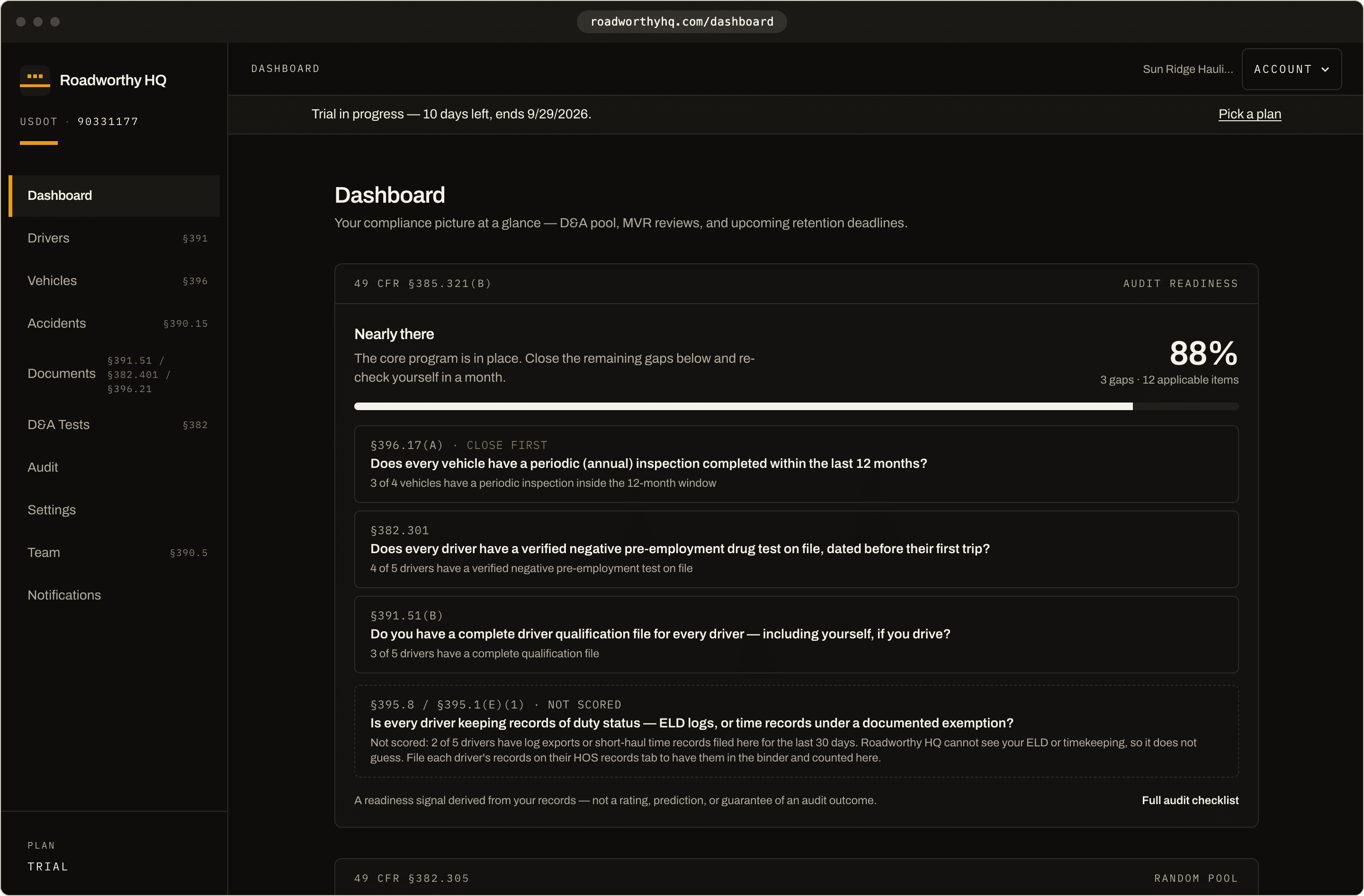
Driver qualification files
Every §391.51(b) item, tracked from day one.
Add a driver and the workspace builds the full driver qualification checklist — application, motor vehicle record, road test certificate, medical certificate, annual review — each item with its CFR citation, shown as present or missing.
Upload a document and the workspace reads it, suggests the type and the dates on the page, and waits for you to confirm; then it lands on the right checklist item with the right retention window. Medical certificate expiring? The alerts start 90 days ahead, automatically.
- Every required §391.51 item, with its CFR citation
- Medical-certificate and CDL expiration alerts — email, plus opt-in SMS when a deadline turns critical
- Annual MVR review reminders per §391.25
49 CFR §391.51
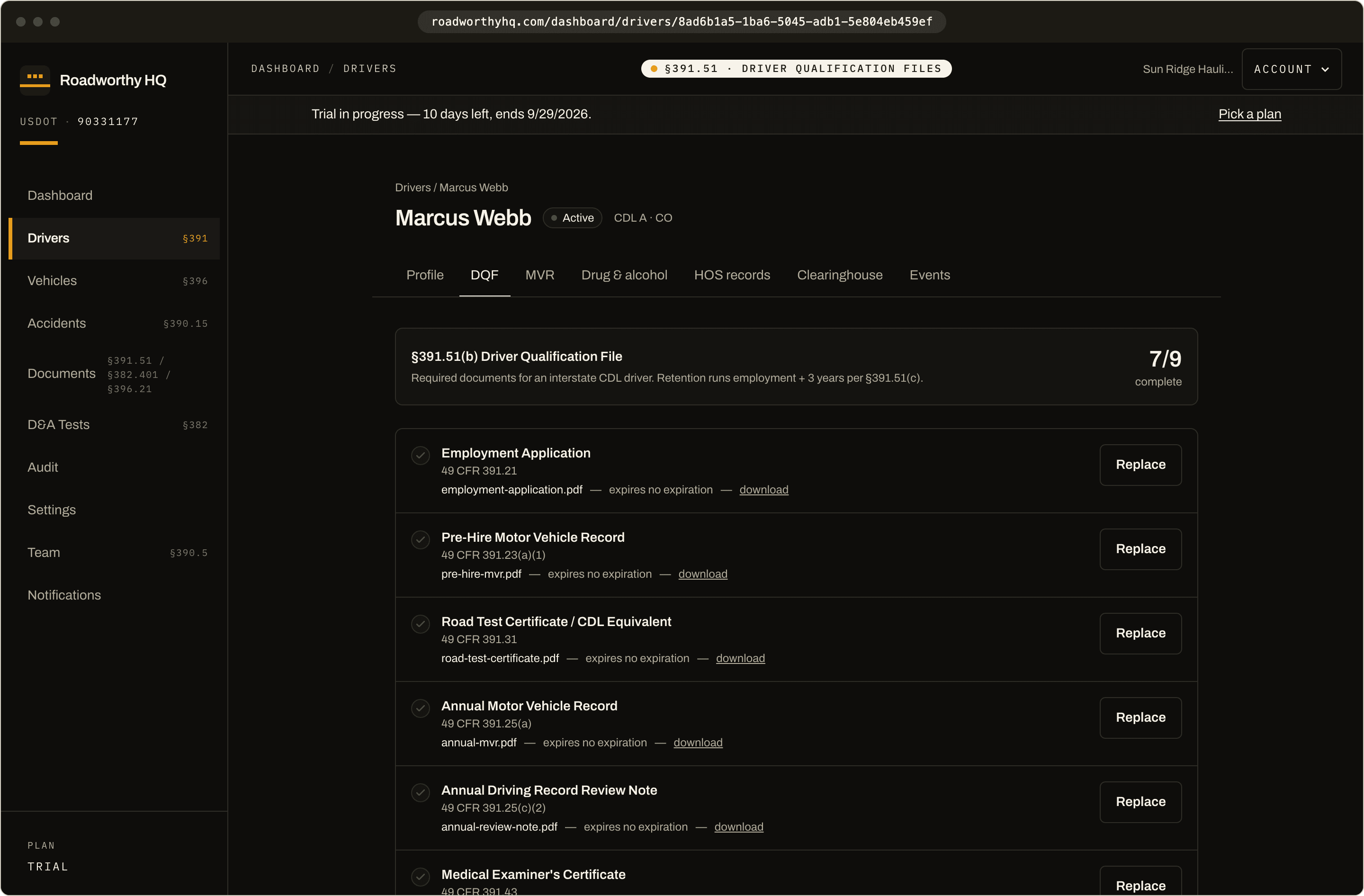
Actual product · Add a driver → the DQF checklist populates · Demo fleet data
Drug & alcohol program
Random pool math you never have to redo.
The D&A module turns your pool size and the year's official rates into the number of random tests you owe, and records every test — pre-employment, random, post-accident, reasonable suspicion, return-to-duty, follow-up — with its result document and chain-of-custody form. Selections themselves stay with your consortium.
FMCSA Clearinghouse queries (pre-employment and annual) are tracked per driver with generated consent forms, so the query log an auditor asks for is one click, not an afternoon of inbox archaeology.
- Required random tests at the current §382.305 rates
- Clearinghouse query tracker with consent forms
- Post-accident testing triggers and deadlines per §382.303
49 CFR §382
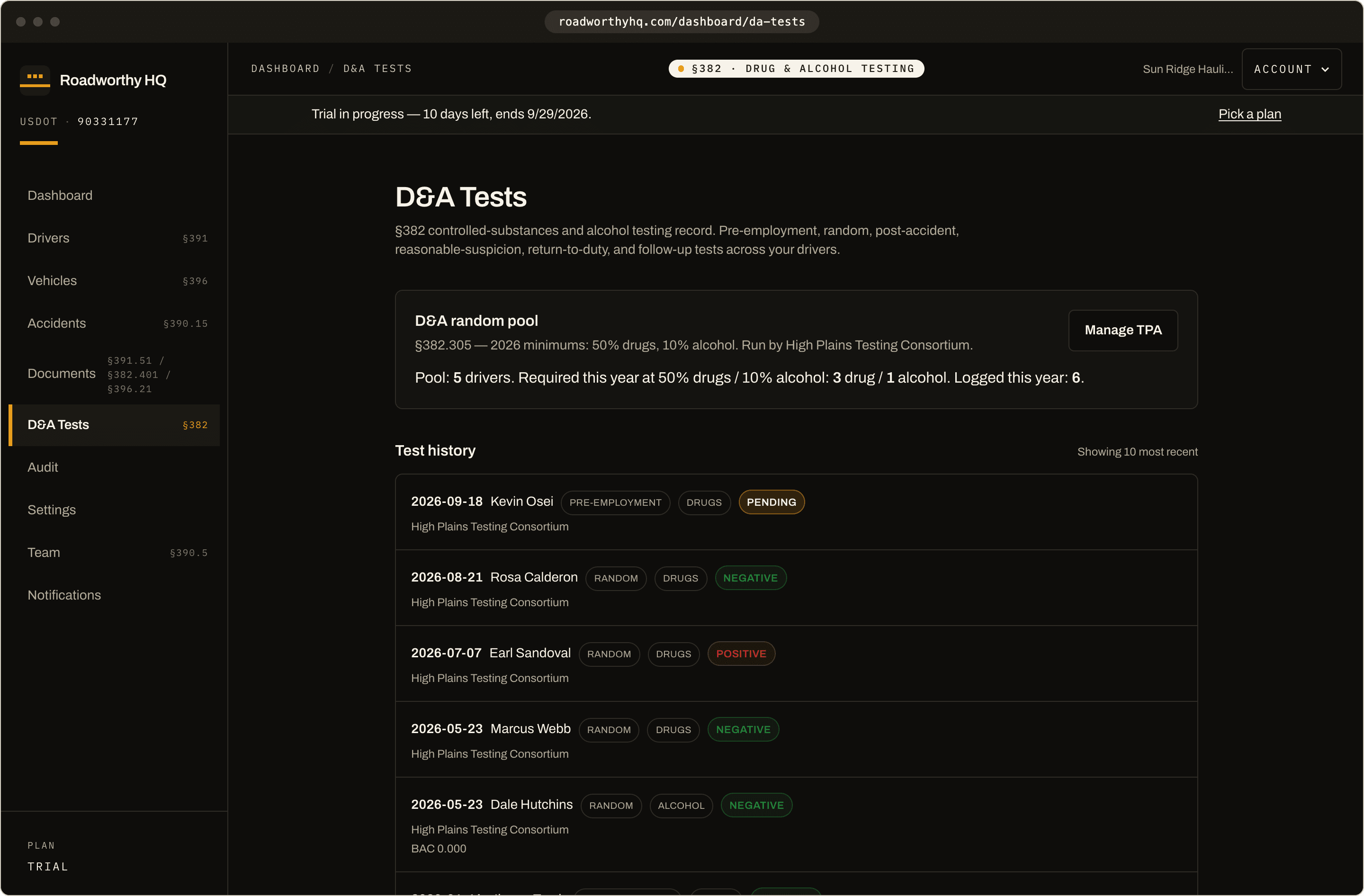
Actual product · The D&A program surface · Demo fleet data
Vehicles & maintenance
DVIRs, inspections, and the maintenance file §396.3 actually requires.
Every vehicle carries its annual inspection status, DVIR history, systematic maintenance records, and ELD assignment — checked against FMCSA's revoked-devices list, because a revoked ELD is a violation you can get ahead of.
Annual inspection reports upload to the vehicle and are held for the 14 months §396.21 requires, with reminders 60, 30, and 7 days before the next inspection is due. DVIRs and maintenance entries are logged per vehicle.
- Per-vehicle inspection currency at a glance
- ELD assignment cross-checked against the FMCSA revoked list
- Maintenance records per §396.3, per vehicle
49 CFR §396
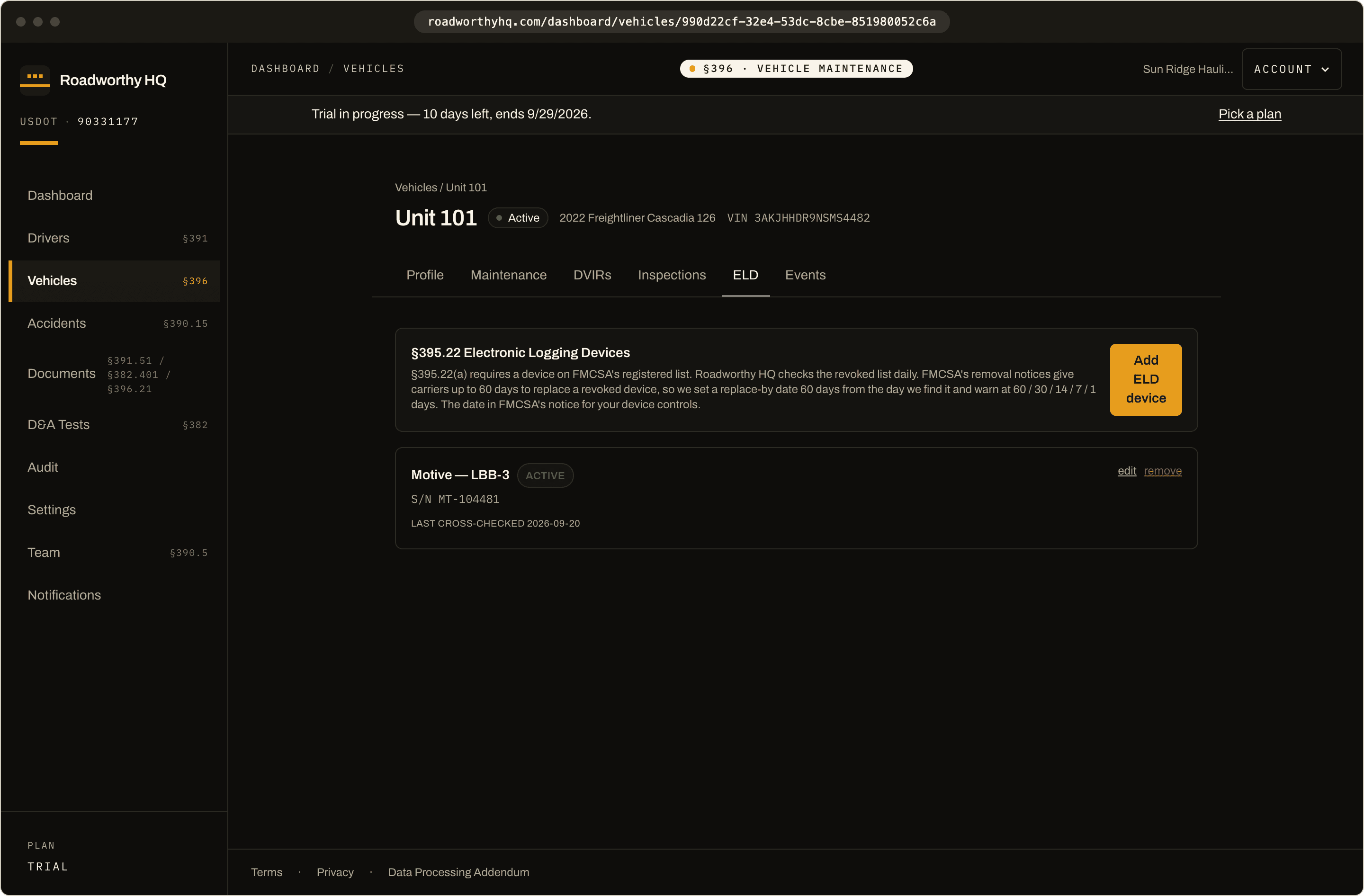
Actual product · Per-vehicle ELD assignment, verified · Demo fleet data
The retention engine
Retention that runs without you remembering.
Upload any document and the database assigns its CFR retention window on the spot — the purge date is computed by a trigger, not a to-do list. When a window closes, purge runs on a two-step grace period: warn, wait seven days, purge, with tombstones preserved and legal holds honored.
This is the part of compliance software most products fake with a folder tree. Here it is running for real.
- Retention clock assigned at upload, per document type
- Two-step purge with a 7-day grace window
- Legal hold and retention extension, one click each
49 CFR retention windows
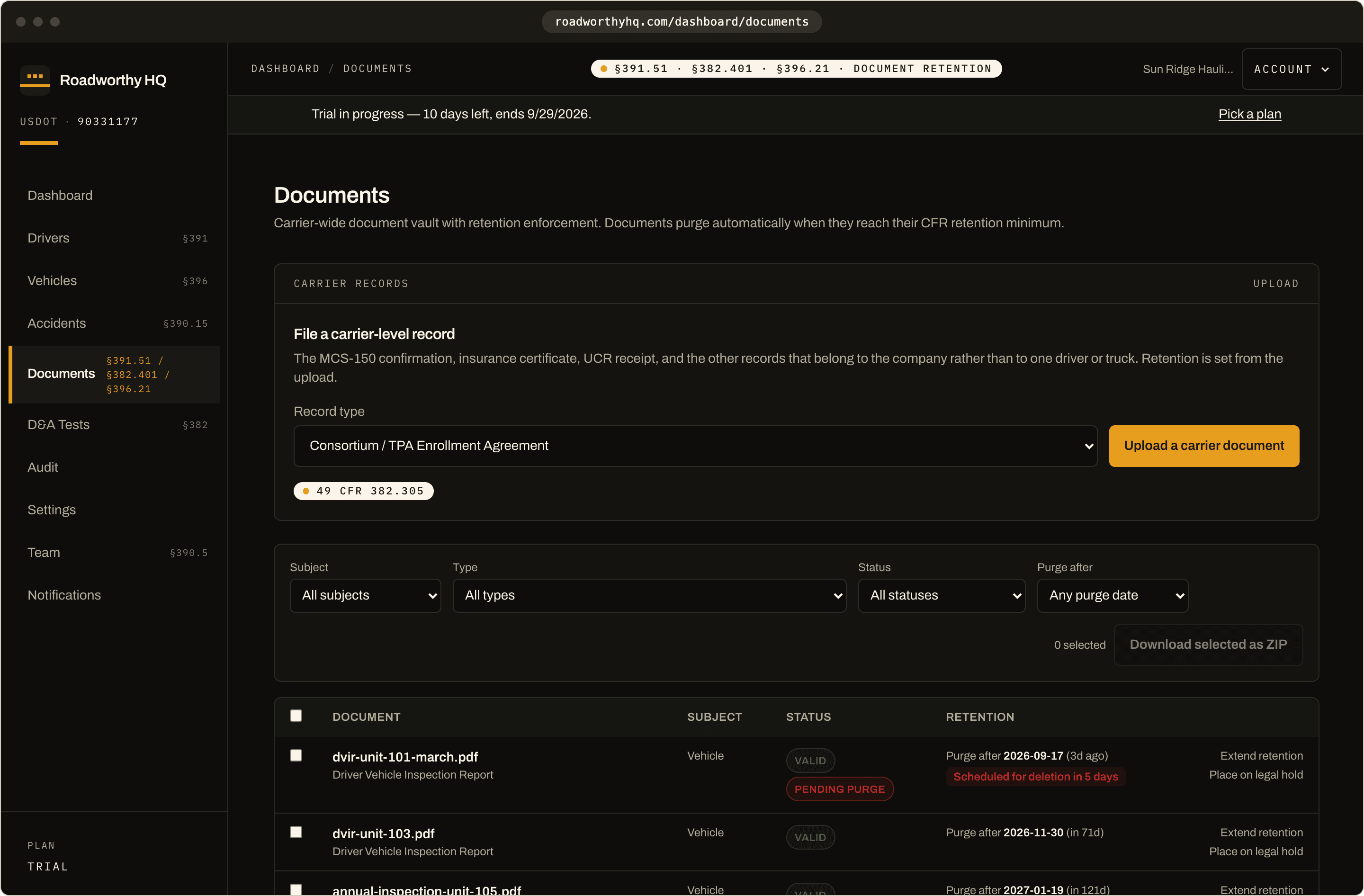
Actual product · Upload → retention clock assigned · Demo fleet data
Audit prep & the binder
When the audit letter arrives, you press one button.
The audit workspace scores your readiness check by check and marks the items tied to the §385.321(b) automatic-failure list first.
The binder export bundles every current document with a CFR-cited manifest, renames files consistently, folders them by driver, vehicle, accident, and carrier, and packages it as a ZIP — so a §390.29 records request, where FMCSA can give you as little as 48 hours, is handled without a scramble. Legible copies count as your records under §390.31; the uploads are the file.
- Items tied to the §385.321(b) automatic-failure list marked first
- Readiness score across drivers, vehicles, D&A, and records
- One-click ZIP with consistent naming and a manifest
49 CFR §385 Subpart D · §390.29
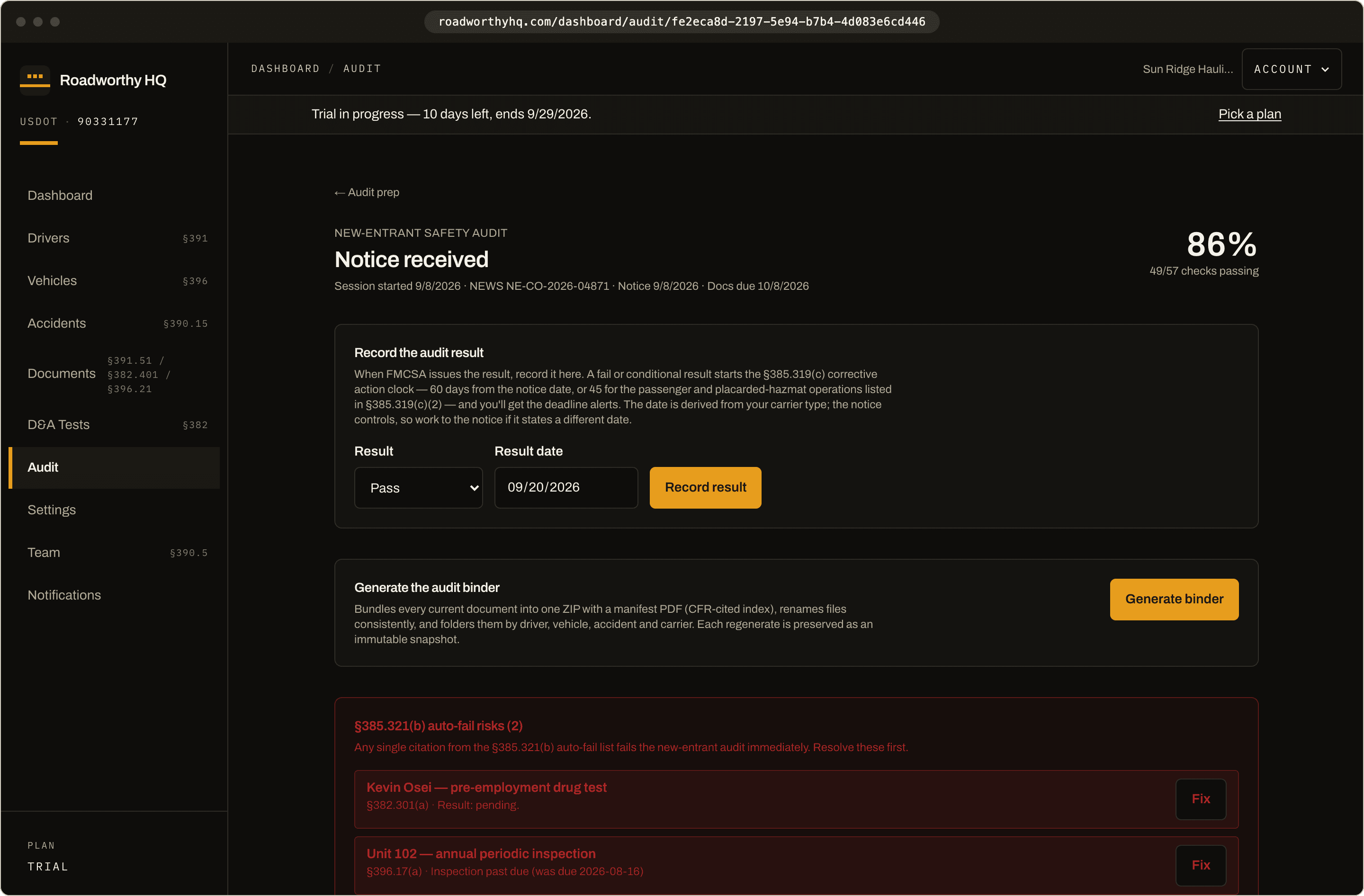
Actual product · Generate → binder packaged · Demo fleet data
Your first week
From empty workspace to audit-ready posture.
No implementation project, no onboarding call. The 14-day trial is the real workspace — here's how the first week usually goes.
Day 1
Create the workspace, add your fleet
Carrier name and USDOT number, then drivers and vehicles, added one at a time. Most 1–5 truck carriers are done in an afternoon.
Day 2–3
Upload what you already have
Medical certs, MVRs, inspection reports, insurance. Each upload is read on the spot: the workspace suggests the document type and the dates it finds, you confirm, and it lands on its checklist item with its retention clock. The gaps that remain are your actual to-do list.
Day 4–5
Wire up the alerts
Expiration warnings are on by default — medical certs, annual inspections, MVR reviews, MCS-150 deadlines. Each user mutes what they don't want.
Any day
Export your first binder
Run it before anyone asks. The readiness score tells you exactly what an auditor would flag, while it's still cheap to fix.
Before you start
What people ask after the tour.
Pricing questions? See the full FAQ on pricing.
Still weighing platforms? Read the honest J.J. Keller comparison.